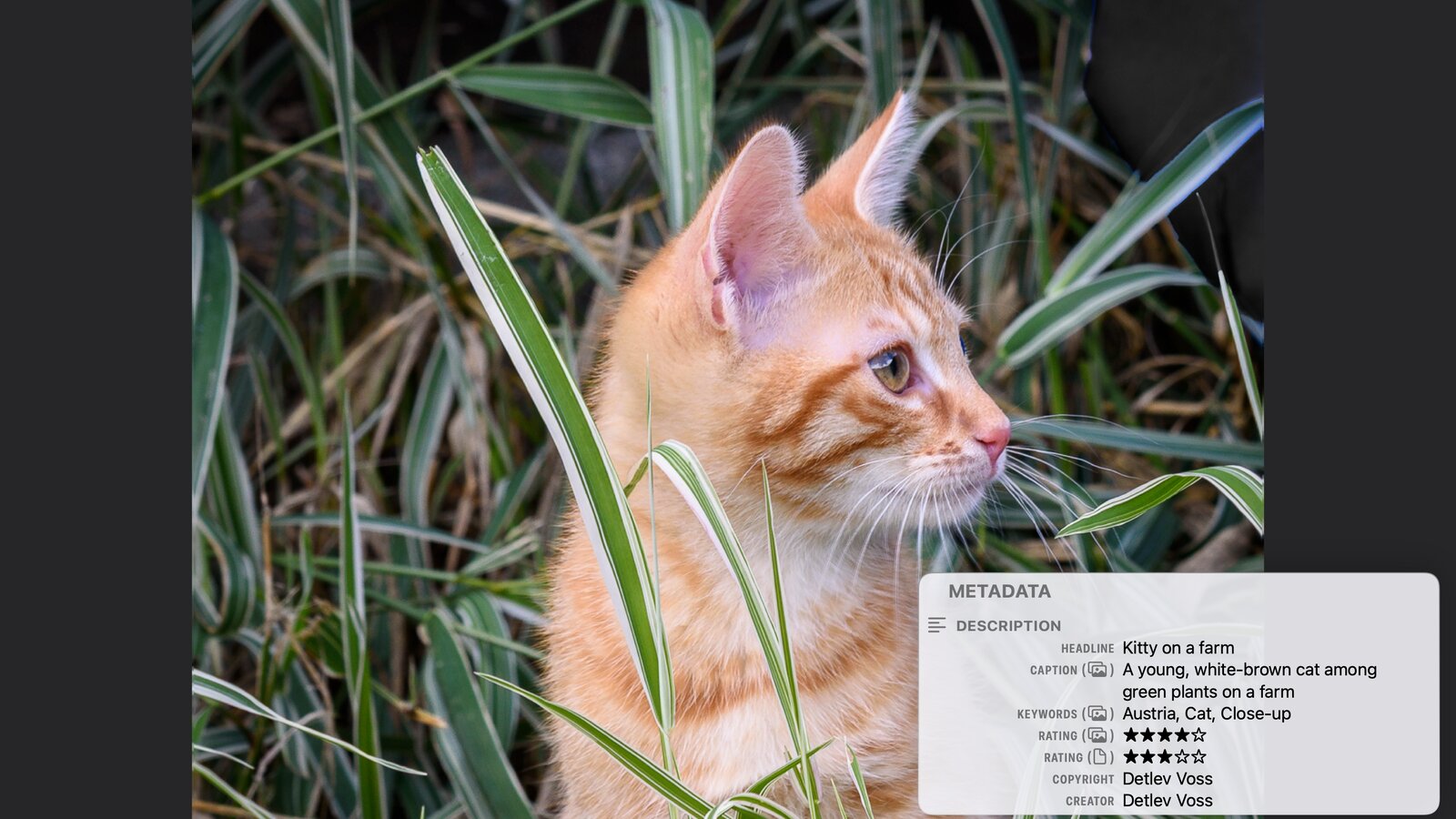
Version 1.0.1 shows the rating, keywords and caption you set in the Photos app on iOS 27, iPadOS 27 and macOS 27, and marks where each value comes from. The overlay gets three font sizes, Settings a Support pane, and the Mac slideshow keyboard control. Plus British English, improvements and fixes on every device.
Two short ways to a running timer: a quick timer needs only a duration, starts after two taps and cleans up after itself. Ten presets, from Pomodoro to a boiled egg, set up ready-made timers with phases and rounds that you can adjust. Plus the widget, the Shortcuts action, and which way fits when.
Version 1.5 brings Timers & Alarms to iPad, with a grid of cards, the alarm list beside the open alarm and, with iPadOS 27, the editor beside the timer. On the iPhone Duo, timers and the stopwatch split at the fold. Plus a quick timer in one tap, keyboard shortcuts with iOS 27, a few improvements and three fixes.
PhotoView is free to use, Pro comes with a free 7-day trial, and a one-time purchase unlocks it for good on iPhone, iPad and Mac. What each of the three includes, how the Pro trial and the purchase work, and why I chose a one-time purchase and no subscription.
PhotoView is now on the App Store for iPhone and iPad and on the Mac App Store. Free to download, with a free 7-day Pro trial and one purchase for all three devices. What beta testers need to know, and a thank-you.
An origin story. A film SLR in the late 80s, Lightroom since the 2006 beta, and a library that now lives on iPhone, iPad and Mac. What I wanted was simple: see a photo full screen and still read how it was made.
A Sudoku is a square of 81 cells — almost the whole layout hangs on the question of how big one of them may be. Why the app doesn’t fix that per device, but derives it from the window it happens to get.
In a RAW workflow the original file is never rewritten, so everything you decide about a photo, the rating, the keywords, the rights, the develop settings, ends up in a second file next to it. That pair only works if it stays a pair. On a Mac, PhotoView opens the original from disk, finds the .xmp sidecar beside it, and shows both halves over the photo. Read-only, on your device.
Every digital camera writes the story of a shot into the file alongside the photo: aperture, shutter speed, ISO, the lens, often the place it was taken. PhotoView keeps all of it one tap away. Tap once and the metadata overlay appears, tap again and the photo has the screen to itself.
You put real work into Lightroom, Capture One, darktable or PhotoLab: star ratings, color labels, a keyword tree built over years, rights and edit history. That work is metadata, and PhotoView reads it. It reads the embedded XMP straight from the photo’s original file on iPhone, iPad and Mac, and on a Mac it also reads the .xmp sidecar next to a RAW file and the Finder details. Read-only and entirely on your device.