Pomodoro with Timers & Alarms
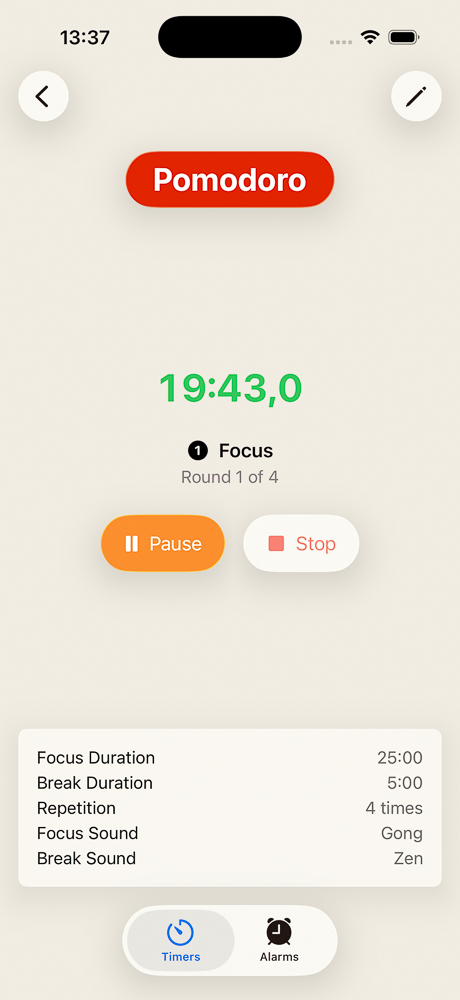
A Pomodoro is a simple idea with a stubborn track record: pick one thing, work on it for 25 minutes, take a 5-minute break, and repeat. After four rounds, take a longer break of 15 to 30 minutes. The point is not the exact numbers. The point is that focus is finite and breaks are part of the work, not a reward for finishing it.
Timers & Alarms can run a full Pomodoro session as a single interval timer. Here is how to set it up, and a few small things that make it nicer to live with.
Set it up once
Create a new timer and turn on the interval option. The app gives you two phases, with the names Work and Rest pre-filled. Rename them if you like — Focus and Break are common — and set the durations:
- Phase 1 — Focus: 25 minutes
- Phase 2 — Break: 5 minutes
Turn on the repeating option and set the number of rounds to four. That is one classic Pomodoro session: four focus blocks of 25 minutes, each followed by a short 5-minute break, for a total of just under two hours.
Give the timer a color you will recognize from the Home Screen, and pick a sound for each phase. A softer sound for the break is a small touch that pays off — the end of focus should feel like an invitation, not an alarm.
The timer waits for you between phases
Timers & Alarms does not advance interval phases or rounds automatically. When focus ends, the timer alerts you and waits until you confirm before the break starts. When the break ends, it waits again before the next focus begins.
That pause is deliberate, and it matters for Pomodoro. The most fragile moment of any focus session is the boundary between blocks. If the next phase started on its own, the break would creep, the focus would start without you, and you would either miss it or feel rushed by it. With confirmation, you decide when each block begins. The timer never runs away from you.
You can confirm from anywhere you happen to be looking: the Live Activity on the Lock Screen, the Dynamic Island, the Home Screen widget, or the timer's detail view in the app.
The long break
After the fourth round, the timer finishes and stops. That is the moment for the longer break — 15 to 30 minutes, whatever fits.
The simplest way to handle it is a second timer just for that: a one-phase countdown called Long break, set to 20 minutes, with its own color. Start it when the Pomodoro timer finishes. When it ends, restart the Pomodoro timer for the next session.
Variations that fit the same shape
Pomodoro is a starting point, not a prescription. Two variations work the same way in Timers & Alarms, with different numbers in the same two fields:
- 52 / 17: 52 minutes focus, 17 minutes break. Popular with longer-form work like writing.
- 90 / 20: 90 minutes focus, 20 minutes break. Closer to the ultradian rhythm research that the original Pomodoro draws from.
Both are one interval timer with two phases and a chosen number of rounds. Same setup, different durations.
Where you will see it
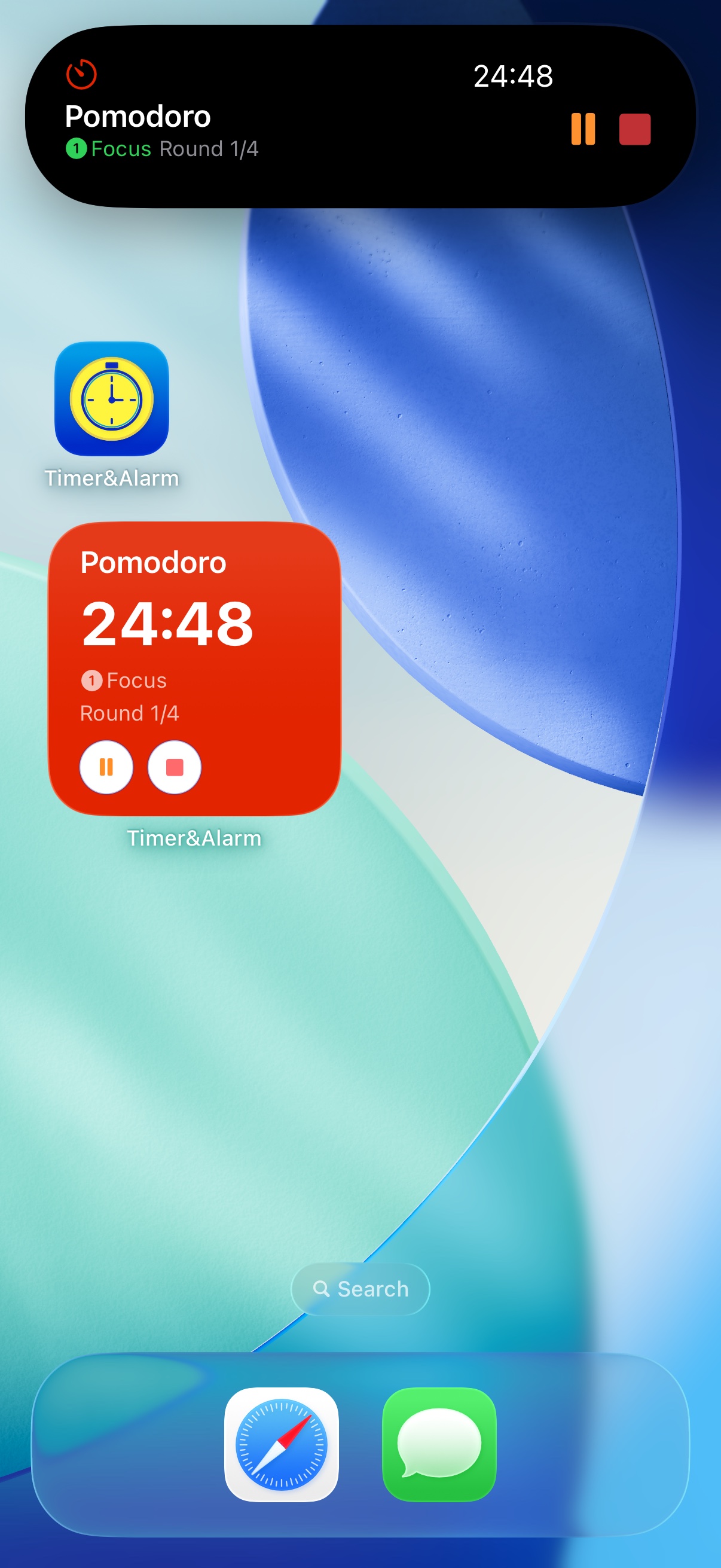
Once the timer is running, the current phase and remaining time follow you out of the app. The Home Screen widget shows it. The Lock Screen and the Dynamic Island show it as a Live Activity. There is no need to keep the app open or to wake the phone to check whether you are still in focus or already on break — a glance is enough.
Get it
Timers & Alarms is free on the App Store, with no ads and no tracking. Tap the badge below to install it.