Try before you buy, buy once, yours forever
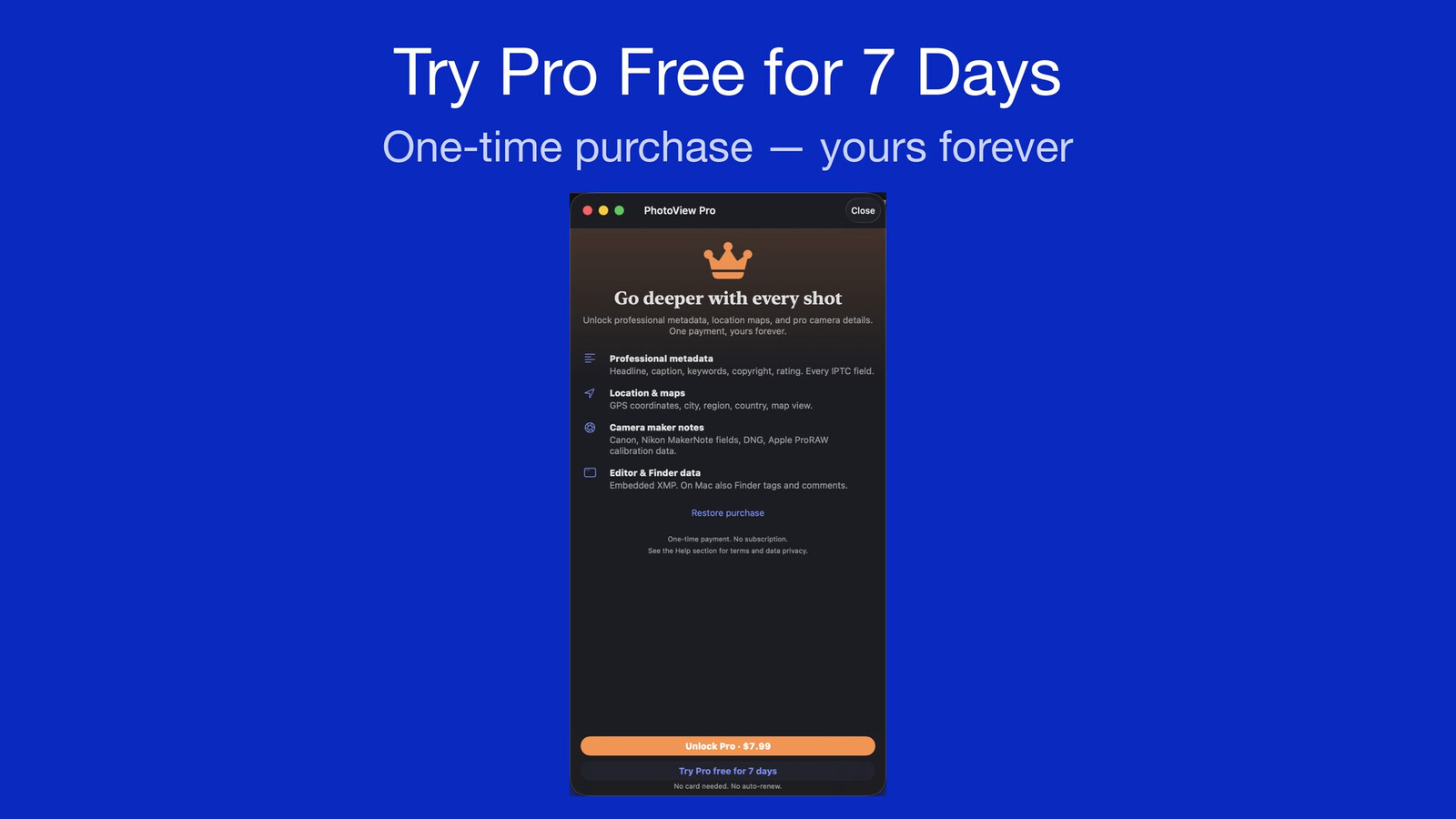
PhotoView has been available on the App Store since September 29, 2026, for iPhone, iPad, and Mac. There are three ways to use it: a free basic version, a free 7-day Pro trial, and a one-time purchase to permanently unlock the Pro version. In this article, I’ll explain what each of these three options entails and why I chose them.
What’s free
You can use PhotoView on all three of the device types listed. There’s no time limit, no ads, and you don’t need to set up an account. You can view photos, Live Photos, and videos in full screen, use the slideshow feature, and on iPhone and iPad, you can also view your photos and videos on external screens via AirPlay (e.g., on your TV via Apple TV).
You can mark your photos and videos as favorites. It’s the same favorite as in the Photos app, so you’ll see it there as well.
The overlay for displaying your photos’ metadata is also available, including the ability to select the overlay’s size and position and to customize which data is displayed.
The metadata available in the basic version includes date & time, information about the camera, lens, exposure, image, file, video, and Apple-specific data.
What the Pro version offers
If you purchase Pro or use the Pro trial, additional metadata will be available to you:
- Location information with a map link and map view
- Descriptions, IPTC, and IPTC Extension (caption, title, keywords, rating, etc.)
- DNG and XMP data
- Information added by the Finder (Mac only)
- Data from Canon and Nikon “Maker notes”
The Pro fields are labeled as Pro in Settings, so you can see in advance what’s included.
The Pro trial
You can try out all Pro features for 7 days. When you start the Pro trial, everything is unlocked immediately. You don’t have to pay anything for the trial, you don’t need a card, there’s no subscription, and you don’t need to cancel anything. You won’t be charged at the end of the Pro trial.
You start the Pro trial in the app with “Try Pro free for 7 days” in Settings.
You can use the Pro trial once per Apple ID. It syncs through your private iCloud and runs on all your devices with the same end date. It doesn’t start over after a reinstall.
If you’ve enabled notifications, you’ll receive a reminder one day before the trial ends (“Pro trial ends tomorrow”) to let you know the trial is about to expire. After that, the Pro features lock again, and the free version keeps working as before.
The purchase
You can make the one-time purchase at any time with “Unlock Pro”, even while the trial is still active. Once you’ve made the purchase, Pro will be unlocked on your devices: the purchase applies to iPhone, iPad, and Mac. You won’t have to pay again for future updates.
After a reinstallation or if you have a new device, you can unlock Pro again with “Restore purchase”.
Why this way and not another
I decided to go with the 7-day Pro trial because the app description and screenshots can’t fully convey what it’s like to use the app with your own photos, and with over 200 available metadata fields, the list in Help is only of limited use. Everyone should be able to test the full range of features before purchasing and, above all, find out whether the metadata fields that are important to them are available.
Since PhotoView doesn’t require a server or a user account, there are no monthly costs for me; that’s why I’ve opted for a one-time purchase model and don’t offer a subscription at all.
For those who just want to view their photos and a few basic details like the exposure settings, the app remains free. The Pro version is primarily intended for those who add keywords to their photos, want to access IPTC and DNG data, or use a photo editor that writes XMP data.
Since I personally prefer apps that don’t contain ads, the free version of PhotoView is also ad-free, and nothing is tracked.
Tipping
If you’ve purchased the Pro version, you’ll find the option to tip me in Settings ▸ General ▸ Support PhotoView. There are three tiers available; tips help support the app’s continued development but do not unlock any additional features.
Do you have any questions or concerns, or are you interested in the app?
The best way to learn more is to try it out for yourself. Just download the app, start the Pro trial, and view your own photos. Experiment with different metadata settings: how large the overlay should be, where it should be positioned, and what data should be displayed.
If you have questions, you can reach me through the contact page or in the app under Help ▸ Contact.