Statistics without the pressure — what the app counts, and why
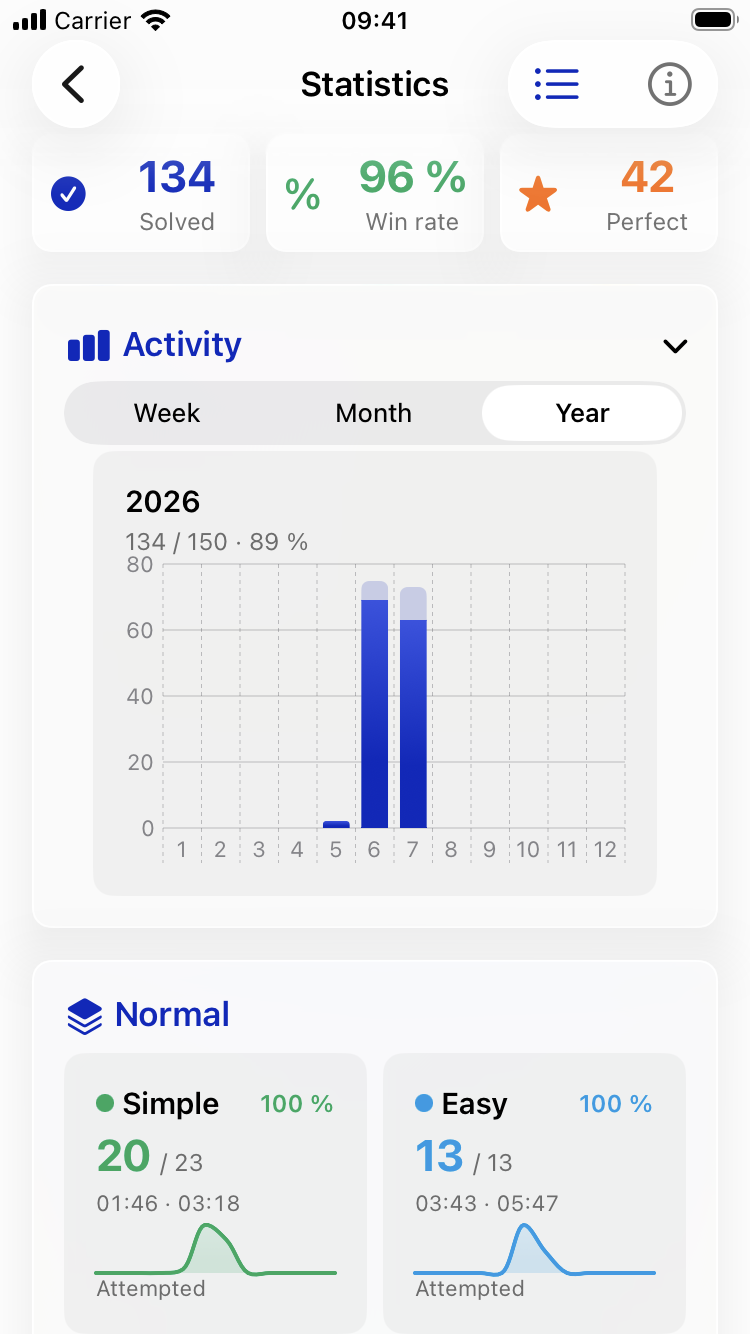
A chart icon at the top right of the toolbar (on a wide screen with the label “Statistics” beside it) opens your numbers: games solved, win rate, best and median times, and a breakdown by difficulty. What deliberately isn’t there matters just as much — no streak that breaks when you skip a day, no daily goal to meet, no notifications pushing you to come back. The app keeps count for you, but it never asks anything of you.
An attempt starts with your second entry. A game only becomes relevant to the statistics once you have put at least two digits in. A puzzle you glance at and leave again shows up in no number at all. And a game in progress counts only once you have solved it, lost it, or left it behind for a new puzzle. So looking at a puzzle that turns out not to suit you costs you nothing.
The clock runs only while you are really playing. What the statistics measure is the time the board was actually in front of you on screen. Put the iPhone down, switch apps, or open the Help, and the measurement pauses; it picks up again once the board is back. A puzzle you solve across three days therefore doesn’t come out as 72 hours, but as the sum of the minutes you really spent on it.
Median, not average. The typical time is a median: half of your solves were faster, half slower. An average would be pulled disproportionately upward by the few puzzles you sat with for a very long time. The median stays where you usually are. Next to it is your best time — the one value that explicitly means a record.
Perfect means perfect, and the win rate matters in Challenge Mode. A puzzle counts as perfect when you solved it with no mistakes, no Hint and no Show. The win rate, by contrast, is games solved divided by games decided — solved or lost. Since a game cannot be lost in Normal mode, it sits permanently at 100 percent there. It becomes meaningful in Challenge Mode, which ends after three mistakes and where Hint, Check and Show are not available.
Your numbers stay yours. They are recorded on the device you play on, and synced between your own devices through your private iCloud. There is no server reading along, no analytics, no tracking. In Settings you will find “Collect statistics”, where you can switch recording off entirely; “Delete statistics data” removes everything stored so far, after a confirmation.
If you want to know how a single value is meant, tap the small round button with the “i” at the top right of the Statistics screen. Every definition is there again, explained in one sentence — and the Statistics section of the help spells them all out as well. And if the numbers don’t interest you at all, that is just as fine. The game does not depend on your ever opening them.
Get it
Sudoku is free on the App Store, with no ads and no tracking. Tap the badge below to install it.