Why I built Timers & Alarms
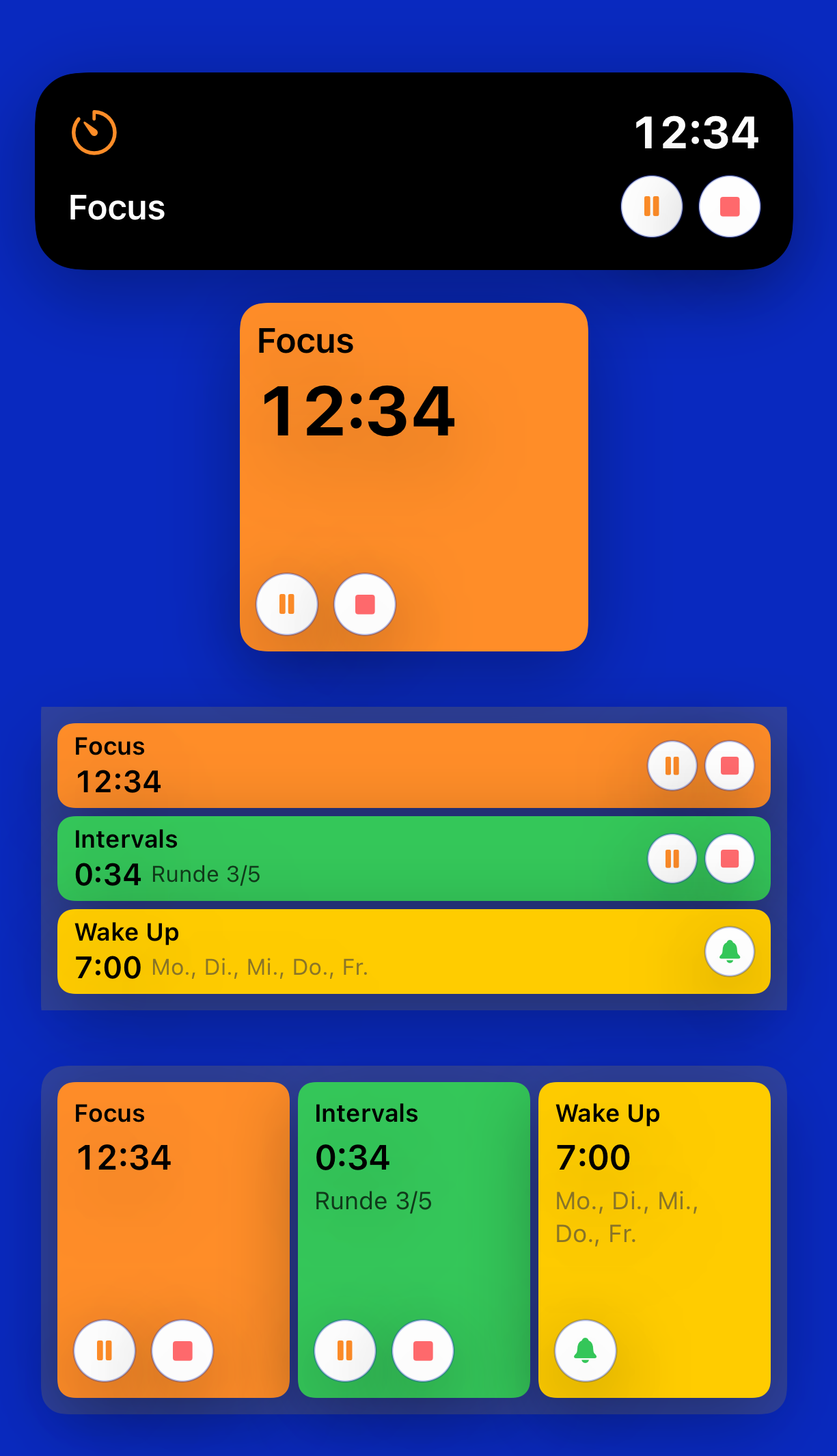
A timer app sounds like a small thing. The interesting part, for me, was getting the same timer to show the same time in four places at once: the app itself, the Home Screen widget, the Live Activity on the Lock Screen, and the Dynamic Island.
What I wanted
The short version is in the launch post: a free timer app, with no ads and no tracking, that handles countdowns, intervals, repeats, and alarms, and that I can monitor and control from the Home Screen and the Lock Screen without opening it. Most of that list is feature work. One item on it — show the right time everywhere, all the time — turned out to be the part that took the most rewriting.
The first attempt
My first version held the schedule entirely in app code. The app knew when each timer was supposed to fire, and the widget and the Live Activity rendered from that state.
It looked fine while the app was open. It looked less fine when it wasn't. The widget and the Live Activity could drift from the app by 5 to 10 seconds, and once in a while a widget would stop updating until something nudged it. None of that is dramatic in isolation, but it's exactly the kind of thing you notice the moment you actually rely on a timer — the kettle is boiling, the interval phase has changed, and the Lock Screen still says ten seconds to go.
What I tried first: shorter widget timelines, more frequent refreshes, tighter coordination between the app and the Live Activity. Each helped a bit. None of it removed the drift.
Switching to AlarmKit
The current version is built on Apple's AlarmKit. The schedule lives there; the app, the widget, and the Live Activity all read from the same source rather than each keeping their own copy in step.
The drift went away. One timer, one source of truth, four places showing the same number. That's the version that shipped.
The one rough edge that's left
When a timer is started inside the app, the Home Screen widget can lag the app by 2 to 3 seconds before catching up. After that, it stays in sync. Starting the same timer from the widget itself doesn't show the lag. It's a small quirk, and the only one I haven't found a way around yet — if I do, it lands in a future update.
What I'd take away
Where Apple ships a system framework for a job that's harder than it looks, it tends to be worth using, even if it means rewriting the part you'd just finished. The first version of Timers & Alarms wasn't wasted — it told me that sometimes there will be problems I do not expect, and that sometimes these problems will be actually hard to solve or even unsolvable. To be honest — without the help of an AI agent I would not have been able to bring the app into a state worth shipping to the App Store.
Get it
Timers & Alarms is free on the App Store, with no ads and no tracking. Tap the badge below to install it.