What’s new in Timers & Alarms 1.1
Just under four weeks after the launch, Timers & Alarms gets its first feature update. Version 1.1 is on the App Store today, free as before, with no ads and no tracking. Here is what changed.
Tomato Timer widgets
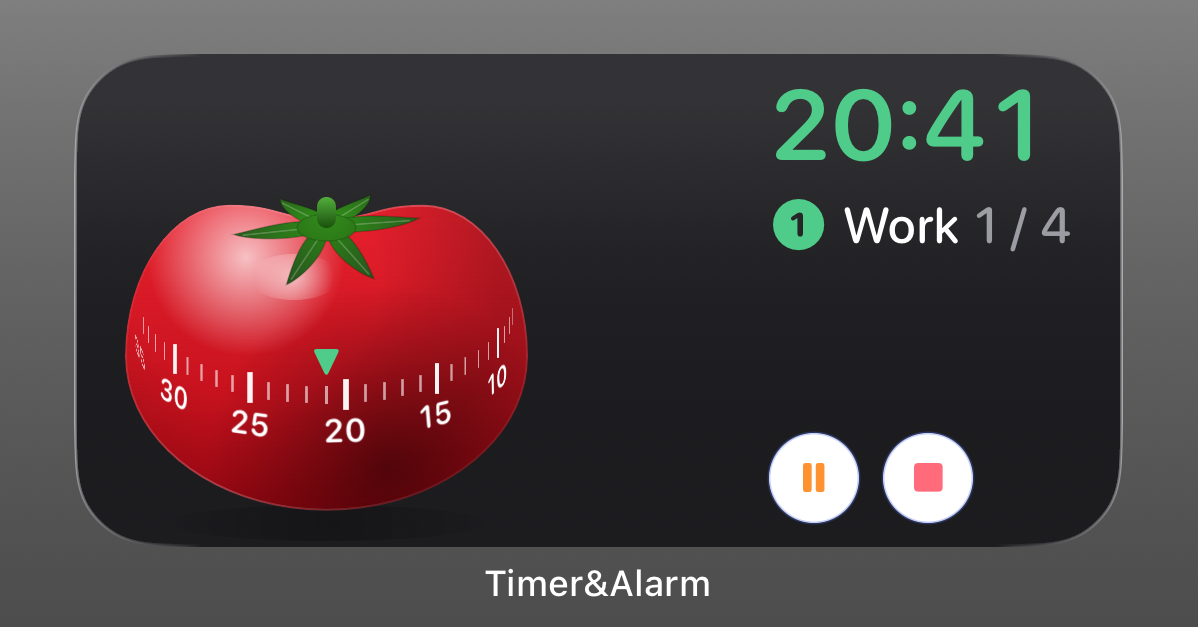
A dedicated widget family for Pomodoro-style sessions. The widget counts down to the next break or the next focus block. When a phase ends, the widget shows a red Done! and waits for you to confirm before the next phase starts — the same rule that already governs interval phases inside the app. The widget optionally contains timer control buttons and a digital time display. If you disable the control buttons via the app settings, a tap on the widget itself will start, pause or resume the timer.
If you are new to Pomodoro with Timers & Alarms, the earlier Pomodoro post walks through the setup in detail.
Warm-up and cool-down phases
Interval timers can now include a warm-up phase before the first round and a cool-down phase after the last one. Useful for workouts that need a few minutes of moving slowly at either end, or for a focus block that wants a short orientation pause before the first 25 minutes start.
Sort by total duration, see it in the row
Timers can now be sorted by their total duration. The duration appears in each timer row, so a glance at the list tells you which timer is the long one and which is the quick one. At larger Dynamic Type sizes, the duration moves to its own line to keep the name readable.
Steadier alarms
Alarms now survive what they should have survived from day one: a reinstall, a daylight saving switch, and a time-zone change. The alarm that was scheduled for 7:30 am stays scheduled for 7:30 am regardless of which side of the spring-forward you set it up on.
Smaller touches
- The Stop button uses a brighter brand red in Dark Mode, so it stays visible against dark backgrounds.
- Turning the interval option on now fills in a sensible default duration for the work phase — but only if you haven’t typed something there yourself.
- A handful of help-text and copy improvements throughout the app.
Get the update
Open the App Store and pull to refresh, or tap the badge below. If you already have Timers & Alarms installed, the update will arrive automatically.