The right size for the Sudoku cells
A Sudoku is ultimately just a square of 81 cells (with rules for how they are to be filled). That makes the whole layout hang mainly on one question: how big is a cell? Once a cell’s height and width are settled, the rest almost follows by itself — the size of the digits inside it, of the pencil notes, and how much room is left below for the controls. The right cell size, though, is a different one on every screen.
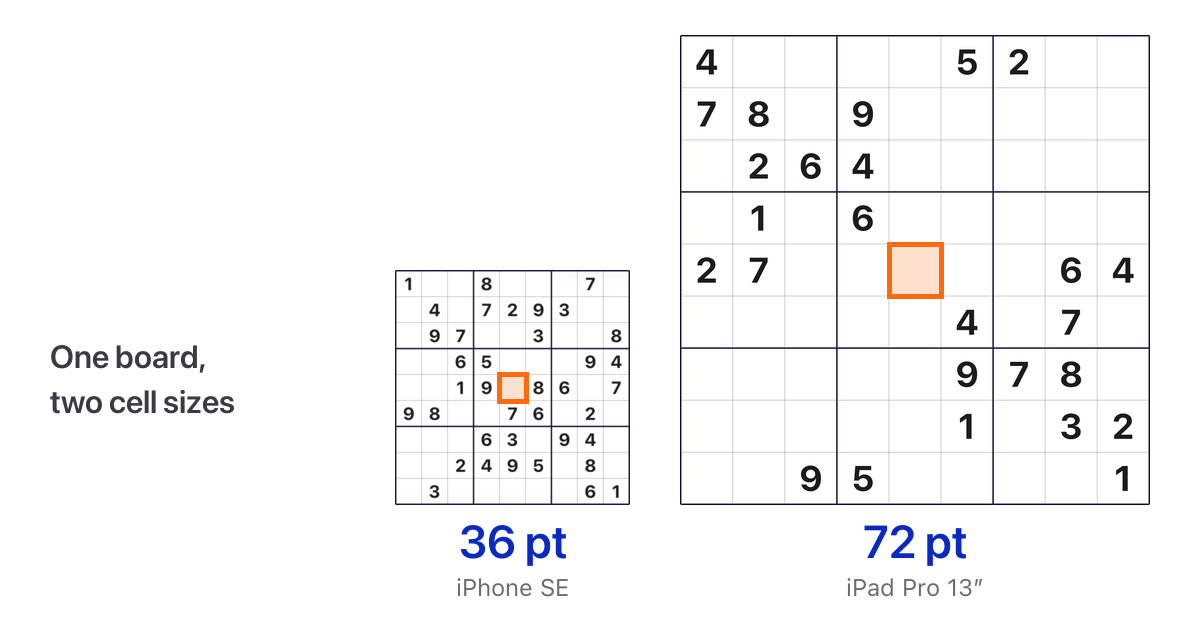
There is no “the device” any more. The obvious approach would be to fix the size per device (or device type). One on iPhone, another on iPad, and a third in landscape. That doesn’t get us far, though. On iPad the window is resizable in Split View, Slide Over and Stage Manager, and while you drag the window edge it changes continuously. So the app has no device to itself, only a rectangle on the screen. The decisive question for the app is, of course: what fits into this rectangle?
Controls first, board second. For the question of what fits how into the available area, the Sudoku app has a single, central function that derives every dimension from the measured area. The order is deliberate. First the controls get their minimum space, and in such a way that the labels stay readable and every key keeps the 44-point tap area that Apple’s design guidelines call for. A point is the relevant unit of measure on iOS (independent of the display’s pixel density). Whatever is left after that belongs to the board. If there is still some room left once the board size has been worked out, the number pad’s keys grow first, and the remainder is distributed evenly as spacing.
A floor, a ceiling, an emergency exit. Three numbers apply to a cell. 36 points is the comfort floor. That is how big a cell is on the smallest supported device, the iPhone SE. 72 points is the ceiling. On a 13″ iPad there would be room for more, but a board that fills the whole screen doesn’t play any better. In between, every value is allowed: on an iPhone 17e it comes to roughly 42.7 points. And when a window really does get too small, the grid doesn’t keep shrinking; instead the controls below it move into a scrollable area. The emergency exit is the third number: at 24 points it stops — a cell won’t get any smaller than that, because below it you’d hardly hit it reliably.
Two arrangements, one rule. Portrait and landscape are not two fundamentally different layouts, just two arrangements of the same building blocks: board and controls. These sit either one above the other or side by side. Which arrangement is used is not decided by the device class. The app always works out both and takes the one where the board comes out larger. If both arrangements produce the same board size, which is the normal case on a large iPad because the ceiling applies anyway, the aspect ratio decides. And so that nothing jumps back and forth while you drag the window edge, the other arrangement has to come out 16 points better before the app switches.
The longest word sets the width. One limit doesn’t come from geometry but from language. “Löschen” is longer than “Erase” and has to fit on the key in full, even on the iPhone SE. That is why the key row has a minimum width oriented on the longer text and that is why the rows reach all the way to the edges of the board on the smallest device, while on larger screens they stay a little narrower than the board.
The whole thing is at first pure calculation, before the graphical interface comes into play. That has a big advantage: calculation formulas can be checked thoroughly in advance. In the app’s tests the function runs across more than 2,000 window sizes between 300 and 1,400 points, at the default text size and one of the large accessibility text sizes, and each time it has to produce a layout that overflows nowhere. The aim of all that effort: a board that looks on every device as if it were made for it, even after you have rotated the device to landscape or portrait or dragged the window edge on iPad.
Get it
Sudoku is free on the App Store, with no ads and no tracking. Tap the badge below to install it.