HIIT and workout intervals
A workout interval is a simple promise: go hard for a set time, recover for a set time, and repeat. High-intensity interval training — HIIT — is the best-known version, short hard efforts with short recoveries, but the same shape covers circuit training, strength sets, and mobility routines. Timers & Alarms runs a whole session as a single interval timer: a warm-up, your work-and-rest rounds, and a cool-down at the end. Here is how to build one, and why the timer waiting for you between efforts turns out to be the useful part.
Build it once
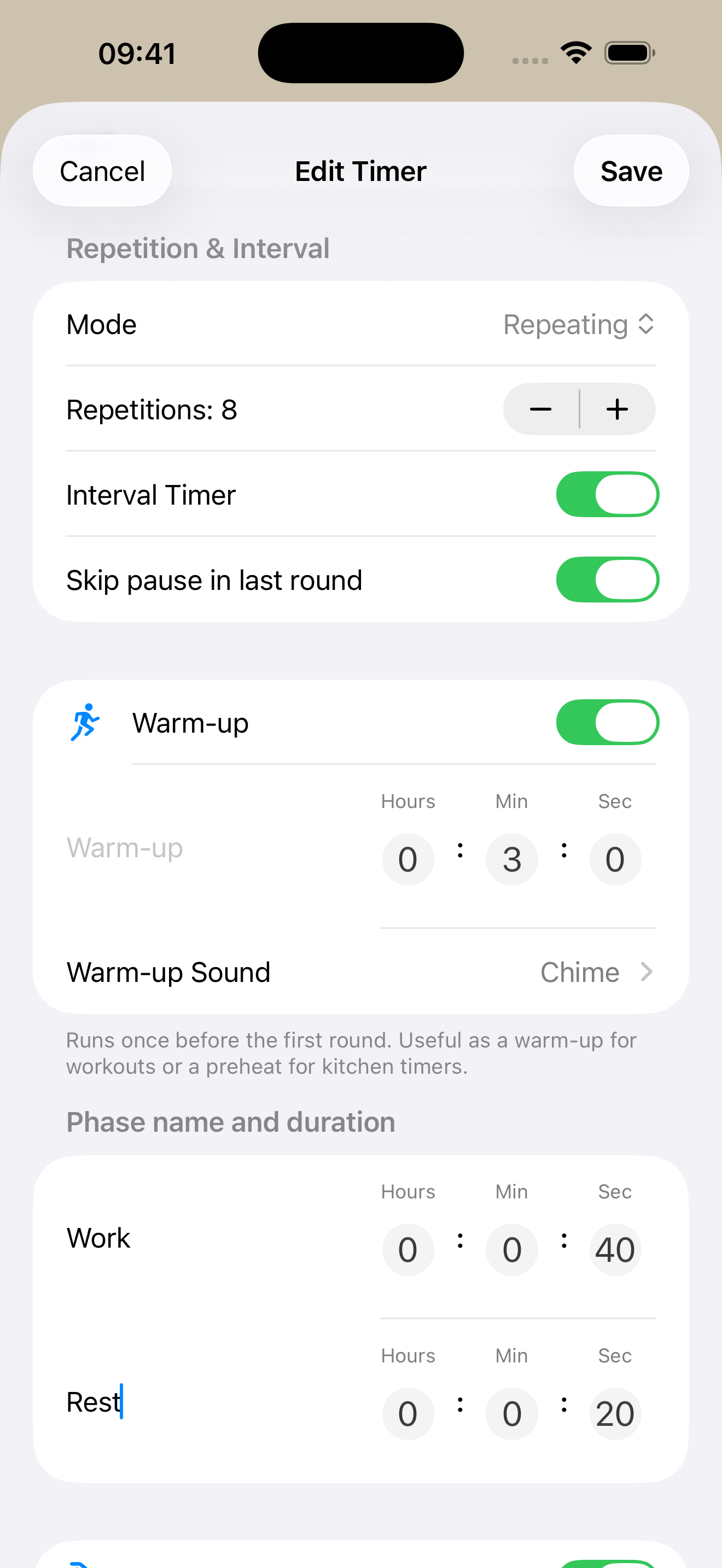
Create a new timer and turn on the interval option (enable interval and repeating timers in Settings first, if you haven’t already). You get two phases, pre-filled as Work and Rest. Set the durations to whatever your session calls for — a common starting point:
- Phase 1 — Work: 40 seconds
- Phase 2 — Rest: 20 seconds
Turn on the repeating option and set the rounds. Eight rounds of 40/20 makes a tidy eight-minute block. Give the timer a color you will recognize on the Home Screen, and the core of the session is done.
Warm up first, cool down after
A workout wants a few easy minutes at each end. Turn on the warm-up to add a phase that runs once before the first round, and the cool-down to add one that runs once after the last. Three minutes to warm up and three to five to cool down is a reasonable default. For a repeating interval timer you can also skip the rest in the final round, so the cool-down begins the moment the last hard effort ends, with no idle recovery before you wind down.
The timer waits between efforts
Timers & Alarms does not jump to the next phase on its own. When the work phase ends, it alerts you and holds at the rest; when the rest ends, it holds again until you confirm the next round. In a workout, that pause is yours to use — move to the next station, reset your stance, catch your breath for as long as you actually need. The work phase itself counts down hands-free; you only confirm when you are set for the next one.
That makes it a natural fit for intervals where a short, self-paced gap belongs in the workout: circuits, strength sets, stretching. For a block you want to run straight through, a single tap moves you on. You can confirm from wherever you happen to be looking — the Live Activity on the Lock Screen, the Dynamic Island, the Home Screen widget, or the timer’s detail or list view in the app.
A louder cue for work, a softer one for rest
With per-phase sounds turned on in Settings, each phase can play its own sound — the warm-up and cool-down included. A sharp cue to start the work phase and a gentler one for the rest means you can keep your eyes off the screen and still know which way you are heading. Any phase without its own sound falls back to the timer’s main sound.
See the phase at a glance
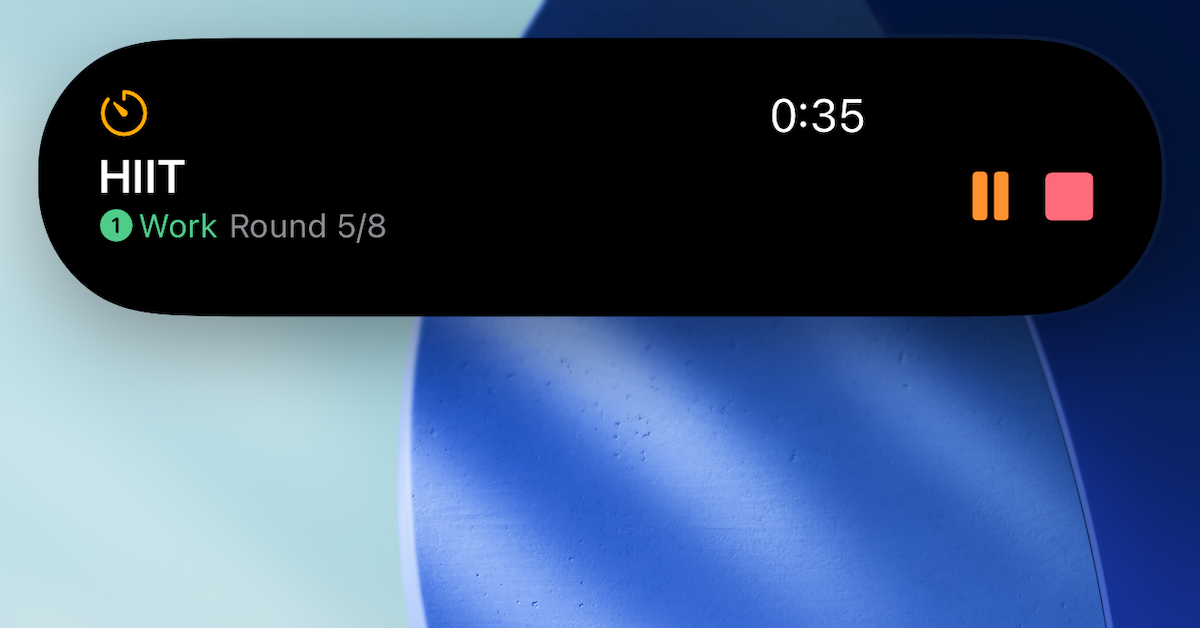
Once the timer is running, the current phase and the time left follow you out of the app. The Lock Screen and the Dynamic Island show it as a Live Activity; the Home Screen widget shows it too. There is more on this in Live Activities & the Dynamic Island.
Same shape, different session
The two-phase, repeating structure stretches to fit most interval work — the same fields, different numbers:
- Tabata: 20 seconds work, 10 seconds rest, eight rounds.
- Circuit: 45 seconds work, 15 seconds rest, one round per station.
- Strength sets: 60 seconds work, 90 seconds rest, five rounds.
Each is one interval timer with a warm-up, two phases, a round count, and a cool-down. The same setup runs a focus session, too — that is the Pomodoro post, with different numbers in the same two fields.
Get it
Timers & Alarms is free on the App Store, with no ads and no tracking. Tap the badge below to install it.